



Download Digital Notebook — Smart Pencil Notes & PDF editor
Overview
Digital Notebook — Smart Pencil Notes & PDF editor is a mobile application designed to support users in managing academic, professional, and personal documentation through digital note-taking and document editing. The app targets students, professionals, and creatives who rely on handwritten input, visual organization, and document annotation for daily tasks. It serves as a centralized tool for capturing ideas, sketching concepts, and organizing digital files, especially those requiring handwritten or drawn input. The app aims to replicate the tactile experience of paper notebooks while offering the flexibility and accessibility of digital storage.
By integrating AI-powered assistance, smart pencil functionality, and PDF editing tools, Digital Notebook streamlines workflows for users who need to transition between idea generation, documentation, and file sharing. Its focus on intuitive interface and real-time document management makes it suitable for on-the-go use, whether in classrooms, meetings, or creative sessions. The app supports a wide range of use cases, including lecture note-taking, project planning, visual brainstorming, and document annotation for work or study.
Although the developer did not provide additional technical details, the app’s presence in the productivity category and its feature set suggest a strong emphasis on usability and functionality. With a free pricing model, it is accessible to a broad audience, positioning itself as a practical alternative to traditional note-taking methods and basic digital tools.
Key Features & Functionality
Digital Notebook offers a comprehensive suite of tools tailored for digital note-taking and document handling, combining creativity with practicality. The app includes a full set of handwriting tools such as pens, pencils, rulers, and erasers, enabling users to write, draw, and sketch directly on the screen with precision. These tools are particularly beneficial for users who prefer a tactile input method over typing, especially in educational and design-related contexts.
- AI Assistant: Integrated AI support helps users generate ideas, summarize content, and retrieve relevant information from their notes. This feature enhances productivity by reducing the time spent on drafting or organizing thoughts.
- Note-Taking Tools: Users can create structured notes, maintain journals, and produce abstracts with ease. The app supports multiple note types and templates, allowing for customization based on individual needs.
- Sketching Features: A variety of drawing tools and stickers empower users to express creativity. This is ideal for visual learners, artists, and educators who use diagrams and illustrations to enhance understanding.
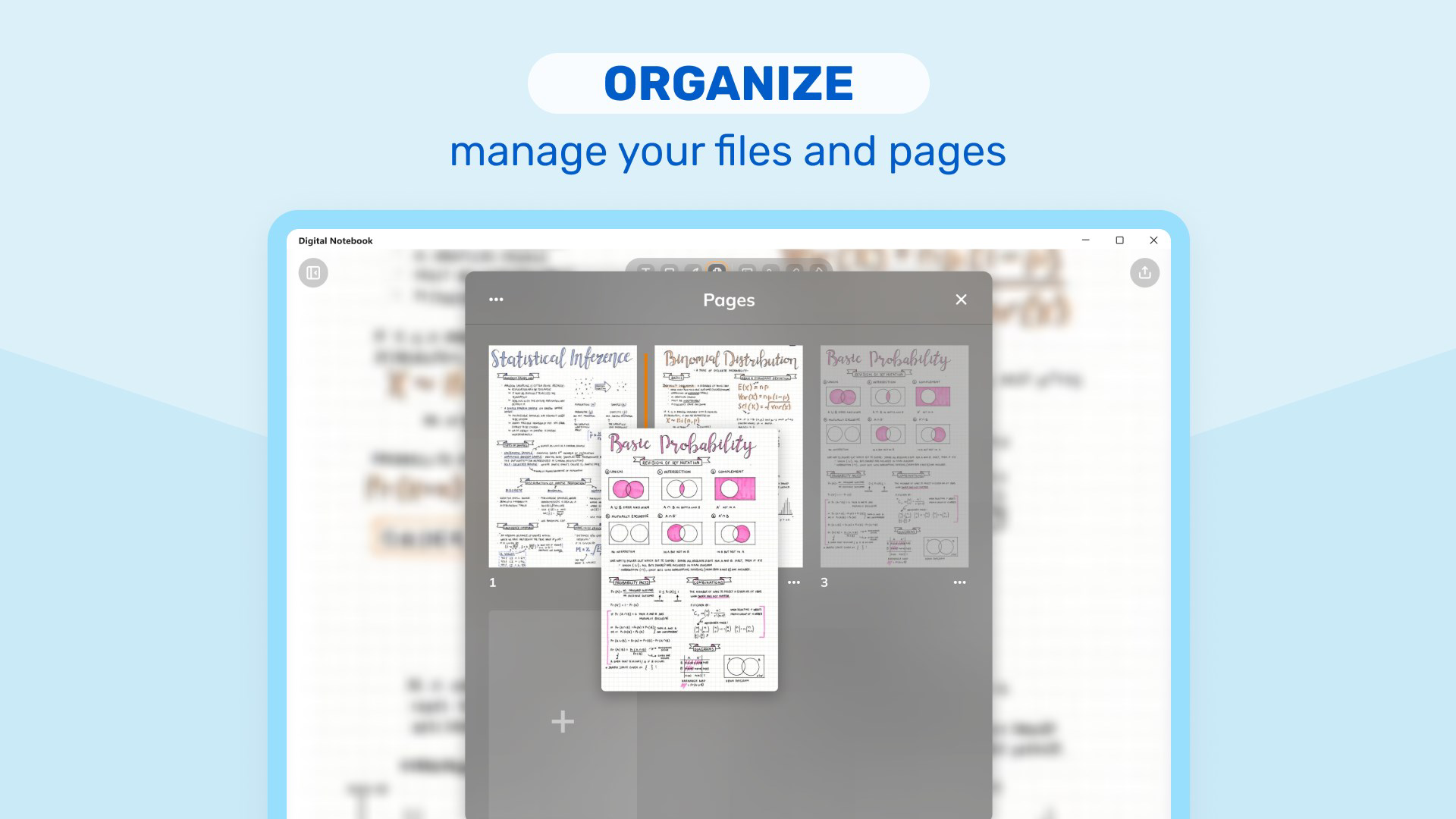
- Document Management: The app enables importing, annotating, and organizing PDFs and other document formats. This ensures that users can carry and modify important files securely and efficiently.
- Subscription Features: Premium access unlocks advanced tools such as a dedicated AI chatbot and enhanced planning modules, offering deeper functionality for complex task management.
Each feature is designed to support real-world scenarios—such as annotating a research paper during a study session or sketching a business concept during a brainstorming meeting—making the app a versatile companion for both learning and work environments.
Interface, UX & Performance
Digital Notebook features a clean, intuitive interface that prioritizes ease of access to core tools. The layout is organized to minimize clutter, placing frequently used functions like pen selection, undo/redo, and document import within immediate reach. Navigation is straightforward, allowing users to switch between notebooks, documents, and tools with minimal effort.
The visual style emphasizes functionality over ornamentation, using a minimalist design that reduces distractions and enhances focus. The app supports smooth pen input, with responsive feedback that mimics the feel of writing on paper. This is crucial for users who rely on handwriting accuracy and natural flow.
Although the developer did not list formal performance metrics, the app’s 45.6 MB size suggests a lightweight footprint, which typically correlates with efficient memory usage and fast load times. The app appears stable across various device categories, with consistent responsiveness during note-taking and document editing tasks. Users can expect reliable performance during extended use, such as during long study sessions or meetings.
There is no indication of frequent crashes or lag, and the app maintains a steady frame rate during drawing and scrolling. The user experience is optimized for both touchscreen precision and quick task execution, making it suitable for users with varying levels of digital literacy.
Platform Compatibility & Technical Requirements
Digital Notebook is available exclusively on the Android platform. It requires a device running a compatible version of the Android operating system, though specific minimum OS requirements were not listed by the developer. The app has a file size of 45.6 MB, which is relatively small and indicates efficient resource management.
Given its size and the absence of additional technical specifications, the app is likely optimized for a wide range of Android devices, including mid-tier smartphones and tablets. However, compatibility with older Android versions or specific hardware features such as stylus support was not confirmed. Users are advised to ensure their device meets general Android standards for smooth operation.
The app’s free pricing model makes it accessible to a broad user base, and its release date of December 13, 2023, places it among newer tools in the productivity space, suggesting recent development and potential for ongoing updates.
Pros and Cons
Pros
- Free to download and use with no upfront cost.
- Intuitive interface designed for seamless note-taking and document editing.
- Comprehensive set of drawing and handwriting tools for creative and academic use.
- Supports PDF import, annotation, and organization for efficient document management.
- AI assistant enhances productivity and idea generation.
- Lightweight size (45.6 MB) ensures fast installation and minimal storage usage.
Cons
- Specific OS version requirements were not disclosed.
- Stylus or hardware pen compatibility details were not provided.
- Subscription features are required for full access to advanced tools.
- Performance on older or low-end devices was not verified.
- Developer did not provide detailed documentation or user guides.
FAQ
Is Digital Notebook available on iOS?
Based on the current information, Digital Notebook is available only on Android. There is no confirmation of an iOS version at this time.
Can I use Digital Notebook without a stylus?
Yes, the app supports touch input, so users can take notes and draw using their fingers. However, a stylus may enhance precision and comfort for extended use.
Is the AI assistant free to use?
The AI assistant is available in the free version, but advanced features may require a subscription for full functionality.
How do I update Digital Notebook?
Updates are typically delivered through the Google Play Store. Users should ensure their app is set to auto-update or check for updates manually in the store.
Is my data secure in Digital Notebook?
The app does not provide explicit details about data encryption or privacy policies. Users are advised to review the app’s permissions and terms before use.
Final Thoughts
Digital Notebook — Smart Pencil Notes & PDF editor stands out as a capable and accessible productivity tool for users who value handwritten input, creative expression, and document control. Its combination of smart pencil functionality, AI assistance, and PDF editing makes it a strong contender in the digital note-taking space. The free availability, lightweight design, and intuitive interface lower the barrier to entry, making it ideal for students, professionals, and creatives alike.
While advanced features are locked behind a subscription, the core experience remains robust and functional. For those seeking a reliable, all-in-one solution for notes, sketches, and document management, this app delivers tangible value without unnecessary complexity.
Download Digital Notebook now


